Running a modern WooCommerce store involves much more than simply uploading products. Store owners regularly need to import supplier catalogs, synchronize inventory, migrate stores, update pricing in bulk, export order data, manage customer records, and automate repetitive workflows across multiple systems.
While WooCommerce includes a basic CSV importer, larger stores often require more advanced functionality and better workflow automation. This is where dedicated WooCommerce import plugins become essential.
Two of the most widely used solutions are Import Export Suite for WooCommerce and WP All Import. Both plugins are powerful, flexible, and capable of handling large-scale WooCommerce imports, but they are designed with slightly different audiences and workflows in mind.
Some WooCommerce users prioritize:
- simple product imports
- bulk inventory management
- scheduled automation
- recurring supplier synchronization
Others need:
- advanced XML handling
- custom field mapping
- highly customized import structures
- developer-focused workflows
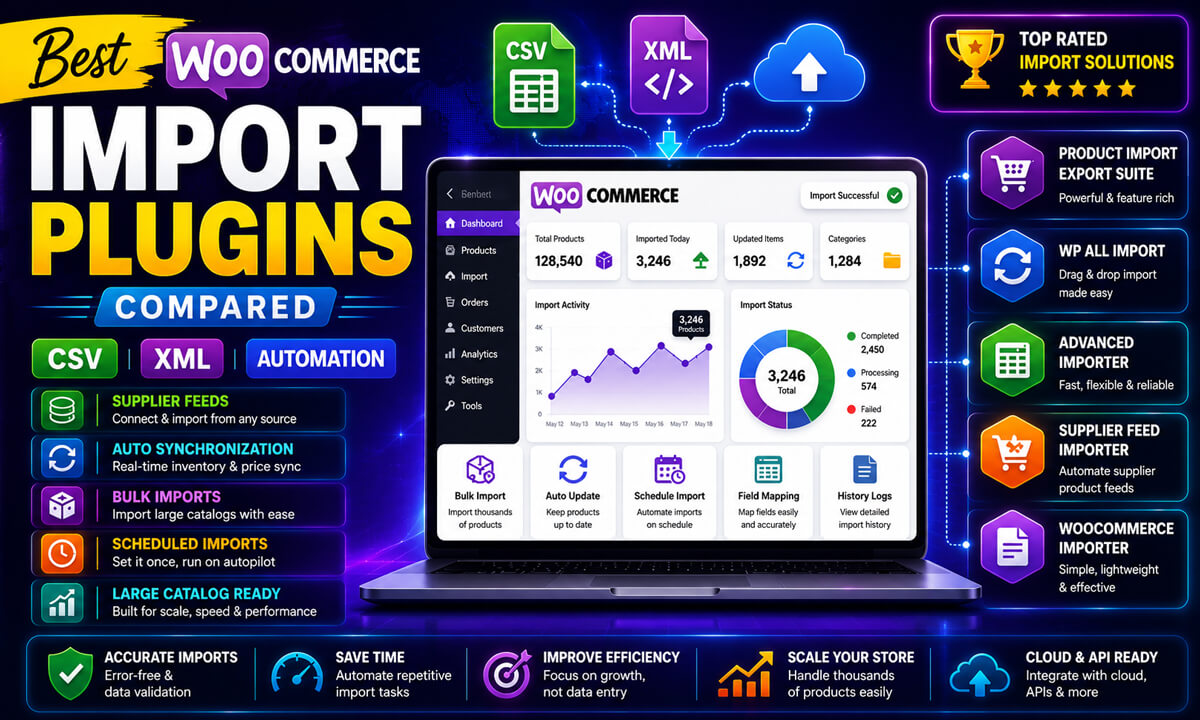
In this in-depth WooCommerce import plugin comparison, we’ll focus on practical real-world use cases instead of generic feature lists. You’ll learn how both plugins compare in terms of:
- Ease of use
- WooCommerce data compatibility
- File format support
- Automation and scheduling
- Bulk editing capabilities
- Performance with large product catalogs
- Scalability for growing stores
- Agency and developer workflows
Most importantly, this article aims to help WooCommerce store owners choose the plugin that best fits their business operations, technical experience, and long-term growth plans.
Both plugins are excellent solutions, and the right choice depends largely on your workflow requirements and WooCommerce setup.
| Feature | Import Export Suite | WP All Import |
|---|---|---|
| Ease of Use | ⭐⭐⭐⭐⭐ | ⭐⭐⭐ |
| WooCommerce Focus | Excellent | Good |
| Products | ✔ | ✔ |
| Orders | ✔ Native | Add-on |
| Customers | ✔ Native | Add-on |
| Subscriptions | ✔ Native | Extra Setup |
| XML Imports | Very Good | Excellent |
| Automation | ✔ | ✔ |
| FTP/SFTP | ✔ Native | Configuration Required |
| Best For | Store Owners | Developers |
Which Plugin Is Better: Import Export Suite or WP All Import?
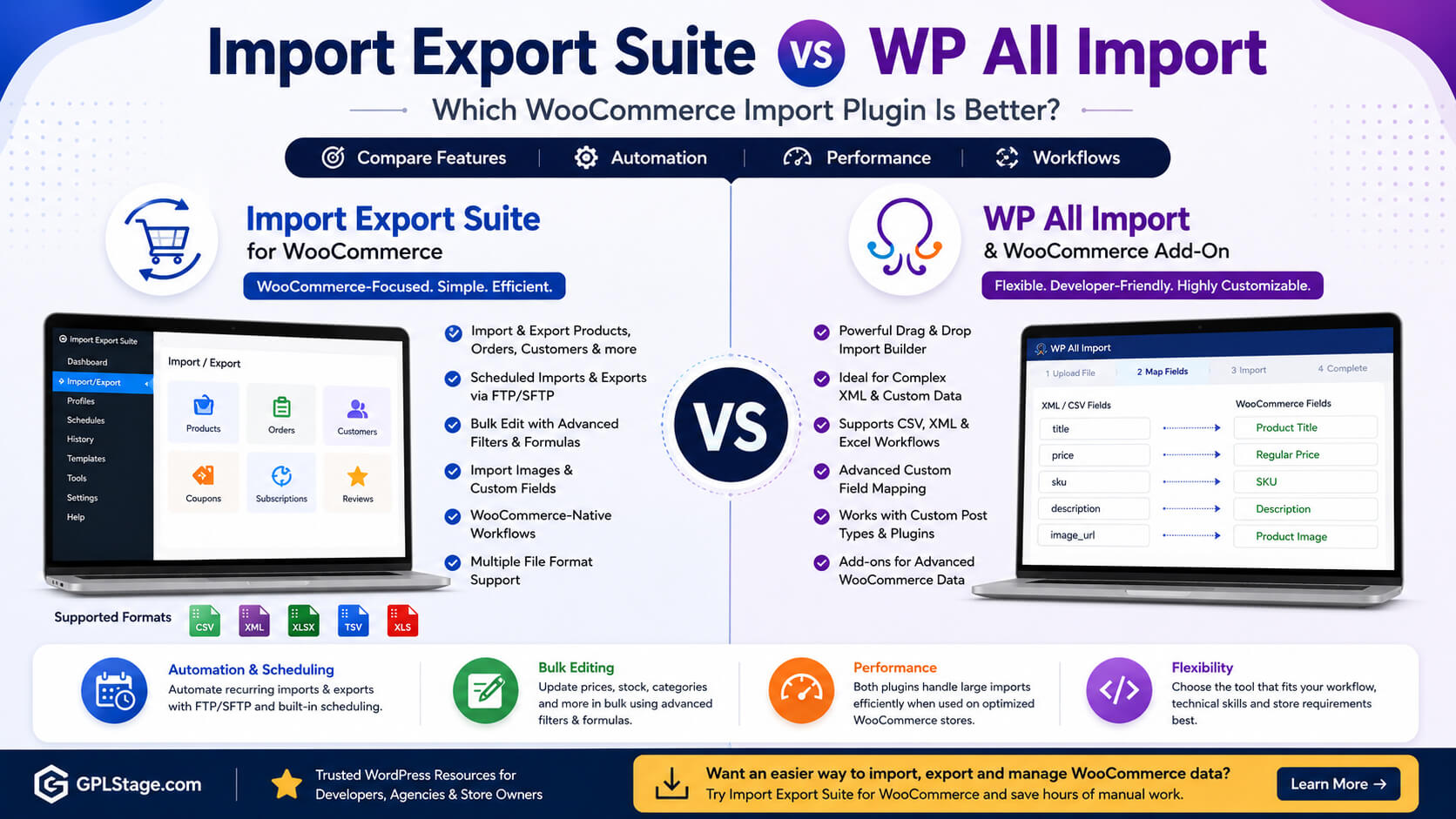
Import Export Suite for WooCommerce is generally the better choice for store owners who need WooCommerce-focused imports, exports, automation, customer management, order exports, and recurring inventory synchronization. WP All Import is often preferred by developers and advanced users who require highly customized XML imports, complex field mapping, and advanced import logic.
Why WooCommerce Import Plugins Matter
As WooCommerce stores grow, manual data management becomes inefficient and risky.
Common WooCommerce workflows include:
- importing thousands of products
- synchronizing supplier feeds
- updating inventory automatically
- migrating stores between servers
- exporting orders for accounting
- bulk editing pricing
- managing variable products
- syncing customer databases
Without a dedicated import/export solution, these tasks often require:
- manual spreadsheets
- repetitive admin work
- multiple plugins
- custom coding
A proper WooCommerce import plugin helps automate these processes while reducing errors and improving operational efficiency.
Import Export Suite vs WP All Import: Feature Overview
Import Export Suite for WooCommerce
Import Export Suite for WooCommerce is built specifically around WooCommerce workflows.
It supports importing and exporting:
- products
- orders
- customers
- subscriptions
- coupons
- reviews
- categories
- product images
- custom metadata
The plugin also includes:
- scheduled imports and exports
- FTP/SFTP automation
- advanced export filtering
- reusable templates
- bulk updates
- support for multiple file formats
Because the plugin is heavily WooCommerce-focused, many store owners find the workflow easier to manage for everyday eCommerce operations.
WP All Import
WP All Import is known for its flexible drag-and-drop import system and advanced XML handling capabilities.
It supports:
- WordPress content imports
- WooCommerce products
- custom post types
- custom fields
- XML and CSV workflows
WP All Import is particularly popular among developers and advanced users who need highly customized import logic or complex XML mappings.
However, some advanced WooCommerce functionality may require additional add-ons depending on the workflow.
Ease of Use Comparison
Ease of use is extremely important for recurring WooCommerce imports and day-to-day store management.
Import Export Suite for WooCommerce
The plugin interface is designed primarily for WooCommerce users rather than general WordPress imports.
Advantages
✔ WooCommerce-focused dashboard
✔ Faster setup for product imports
✔ Easier recurring import workflows
✔ Beginner-friendly import/export tools
✔ Simplified inventory synchronization
Store owners managing:
- products
- orders
- stock updates
- customer exports
often find the workflow more straightforward.
This is especially helpful for WooCommerce users without developer experience.
WP All Import
WP All Import offers exceptional flexibility, but the learning curve can be steeper for beginners.
Advantages
✔ Powerful drag-and-drop mapping
✔ Advanced XML import flexibility
✔ Developer-friendly customization
✔ Highly configurable import rules
Potential Challenges
- More setup complexity
- Technical configuration may take longer
- Some WooCommerce workflows require add-ons
- Advanced imports may require deeper field mapping knowledge
For developers and advanced WooCommerce users, this flexibility can be a major advantage.
Supported WooCommerce Data Types
WooCommerce stores often require more than simple product imports.
Data Type Comparison
| Data Type | Import Export Suite | WP All Import |
|---|---|---|
| Products | Yes | Yes |
| Variable Products | Yes | Yes |
| Orders | Native workflow support | Supported with add-ons |
| Customers | Native workflow support | Supported with add-ons |
| Coupons | Yes | Partial support |
| Reviews | Yes | Limited workflows |
| Subscriptions | Yes | Additional setup may be needed |
| Custom Metadata | Yes | Yes |
Real-World Workflow Differences
For stores that mainly import products occasionally, both plugins perform very well.
However, stores handling:
- subscriptions
- customer databases
- order synchronization
- recurring exports
- bulk WooCommerce operations
may appreciate the more WooCommerce-centered workflow provided by Import Export Suite for WooCommerce.
WP All Import remains highly capable, especially for advanced custom import structures.
File Format Compatibility
Modern WooCommerce stores receive data from many different systems.
Import Export Suite for WooCommerce
Supports:
- CSV
- XML
- TSV
- XLS
- XLSX
This makes it highly practical for:
- supplier spreadsheets
- ERP exports
- Excel workflows
- inventory systems
- warehouse synchronization
WP All Import
WP All Import is particularly strong with XML and CSV workflows.
Supported workflows include:
- XML imports
- CSV imports
- spreadsheet-based workflows
The plugin is widely used for handling highly customized XML data structures.
CSV vs XML Imports: Which Plugin Handles Them Better?
CSV imports are the most common format used by WooCommerce stores for product updates, inventory management, and catalog migrations. XML imports are typically used for supplier feeds, ERP systems, and highly customized data structures.
Import Export Suite offers broad support for CSV, XML, XLS, XLSX, and TSV workflows, making it suitable for most WooCommerce businesses. WP All Import stands out when handling highly customized XML structures that require advanced field mapping and conditional import logic.
Automation and Scheduling
Automation becomes increasingly important as WooCommerce stores scale.
If you’re planning large-scale WooCommerce imports, read our guide:
How to Import Thousands of WooCommerce Products Using CSV, XML & Excel Files
Import Export Suite for WooCommerce
Automation features include:
- scheduled imports
- scheduled exports
- FTP support
- SFTP support
- reusable import templates
Common Real-World Use Cases
- nightly supplier inventory updates
- automatic stock synchronization
- scheduled order exports
- multi-store inventory syncing
Example Workflow
A supplier uploads a daily inventory file via FTP.
The plugin can:
- retrieve the file automatically
- update stock quantities
- import new products
- adjust pricing
- export updated order reports
with minimal manual work.
WP All Import
WP All Import also supports automation workflows.
Depending on the setup, automation may involve:
- cron jobs
- external scheduling
- additional configuration
- advanced mapping rules
Technical users often appreciate the flexibility, while beginners may prefer simpler WooCommerce-focused scheduling tools.
Recommended for WooCommerce Automation Workflows
Want an easier way to achieve this? You can use Import Export Suite for WooCommerce to simplify the process and build professional results faster. Learn more here: https://gplstage.com/webtoffee-import-export-suite-for-woocommerce/
Bulk Editing Capabilities
Bulk editing is one of the biggest reasons WooCommerce stores use import/export plugins.
Import Export Suite for WooCommerce
The plugin supports:
- bulk price updates
- stock management
- category changes
- metadata editing
- formula-based modifications
Example Use Cases
- Increase all product prices by 10%
- Update seasonal inventory
- Modify categories in bulk
- Change supplier SKUs
This workflow is especially useful for wholesalers and inventory-heavy stores.
WP All Import
WP All Import also supports large-scale product updates.
However, workflows may involve:
- more detailed mapping
- custom import logic
- advanced configuration
For experienced users, this offers strong flexibility.
Performance With Large Product Catalogs
Large WooCommerce stores require stable import performance.
Import Export Suite for WooCommerce
The plugin is designed specifically for WooCommerce bulk operations and recurring synchronization workflows.
It works particularly well for:
- large product catalogs
- supplier imports
- recurring automation
- inventory synchronization
Batch processing helps reduce timeout risks on larger stores.
WP All Import
WP All Import can also handle large imports effectively, especially on properly optimized servers.
Performance often depends on:
- server resources
- XML complexity
- image imports
- custom field processing
- hosting quality
Complex XML workflows may require more server resources depending on the project structure.
Pricing, Scalability, and Long-Term Value
Choosing the right plugin also depends on long-term operational needs.
Import Export Suite for WooCommerce
Often preferred by:
- WooCommerce-focused businesses
- agencies managing client stores
- wholesale stores
- inventory-heavy websites
The plugin includes many WooCommerce-focused workflows within a centralized system.
WP All Import
WP All Import offers excellent flexibility, though some advanced workflows may require additional add-ons depending on project requirements.
For highly customized developer projects, this flexibility can be valuable.
Quick Recommendation:
- Choose Import Export Suite if you need WooCommerce-focused imports, exports, automation, customers, orders, subscriptions, and recurring inventory synchronization.
- Choose WP All Import if you need highly customized XML workflows, advanced field mapping, and developer-focused flexibility.
Best Plugin for Agencies vs Store Owners
Best for WooCommerce Store Owners
Import Export Suite for WooCommerce
Often a better fit for:
- WooCommerce beginners
- medium-to-large stores
- dropshipping stores
- wholesale stores
- recurring inventory synchronization
Why?
Because the workflow is centered directly around WooCommerce operations instead of broader WordPress importing.
Best for Developers & Advanced XML Workflows
WP All Import
Often preferred for:
- custom XML structures
- developer-heavy workflows
- unusual import logic
- advanced custom post types
Its flexibility makes it highly powerful for technical implementations.
Common WooCommerce Import Mistakes
Regardless of the plugin you choose, many import problems come from workflow mistakes rather than plugin limitations.
Already experiencing import problems? Read our guide:
WooCommerce Import Failed? Common Import Errors and How to Fix Them
Importing Without Testing
Always test imports on staging environments first.
Using Duplicate SKUs
Duplicate SKUs can accidentally overwrite existing products.
Ignoring Image Optimization
Large image files can slow imports significantly.
Poor Variation Formatting
Variable product attributes must remain consistent.
Running Huge Imports on Weak Hosting
Large WooCommerce imports require:
- sufficient PHP memory
- optimized databases
- reliable hosting
- proper server resources
Best Practices for WooCommerce Imports
Use Batch Imports
Split very large imports into smaller jobs.
Optimize Your Database
Before importing:
- clear expired transients
- optimize database tables
- remove unnecessary revisions
Automate Repetitive Tasks
Scheduled imports can save hours of manual work every week.
Keep Backup Copies
Always create backups before major imports or migrations.
FAQ
Which plugin is easier for WooCommerce beginners?
Import Export Suite for WooCommerce is generally easier for non-technical WooCommerce users because the interface focuses directly on WooCommerce workflows.
Is WP All Import better for advanced XML imports?
WP All Import is widely known for its flexibility with complex XML structures and custom import logic.
Which plugin is better for supplier feed automation?
Import Export Suite for WooCommerce provides streamlined WooCommerce-focused scheduling and FTP/SFTP workflows that many store owners find easier to manage.
Can both plugins import variable WooCommerce products?
Yes. Both plugins support variable products and variation imports.
Which plugin handles WooCommerce orders and customers more efficiently?
Import Export Suite for WooCommerce provides stronger native workflows for WooCommerce orders and customer management.
Are both plugins suitable for large WooCommerce stores?
Yes. Both plugins can handle large WooCommerce imports when properly configured on optimized hosting environments.
Can WooCommerce import XML files?
Yes. Both Import Export Suite and WP All Import support XML imports, although WP All Import is particularly known for advanced XML mapping and customization capabilities.
Which plugin is better for WooCommerce store migrations?
Import Export Suite is often preferred for complete WooCommerce migrations involving products, customers, orders, subscriptions, and recurring automation workflows.
Continue Learning About WooCommerce Imports
How to Import Thousands of WooCommerce Products Using CSV, XML & Excel Files
6 Best WooCommerce Import Export Plugins for Large Stores
WooCommerce Import Failed? Common Errors and Proven Fixes
Beginner’s Guide to WooCommerce Product Imports and Store Migration
This comparison is based on plugin documentation, WooCommerce compatibility information, feature analysis, and common real-world WooCommerce import and export workflows. Plugin functionality may change over time, so verify current features before implementing production workflows.
Conclusion
Both Import Export Suite for WooCommerce and WP All Import are powerful solutions capable of handling advanced WooCommerce import workflows.
WP All Import excels in highly customized developer-oriented environments where advanced XML handling and flexible import logic are priorities. It remains a strong option for technical users who need deep customization capabilities.
Import Export Suite for WooCommerce, on the other hand, focuses more directly on practical WooCommerce workflows. Its support for products, orders, customers, subscriptions, automation, bulk updates, FTP/SFTP scheduling, and multiple file formats makes it especially useful for store owners managing recurring WooCommerce operations.
For many WooCommerce businesses, the best plugin ultimately depends on:
- technical experience
- workflow complexity
- catalog size
- automation needs
- long-term scalability requirements
Neither plugin is universally better for every WooCommerce business. The best choice depends on your workflow complexity, technical expertise, automation requirements, and the types of WooCommerce data you manage regularly.
If your goal is to simplify WooCommerce imports, automate repetitive tasks, manage supplier feeds efficiently, and reduce manual work, Import Export Suite for WooCommerce offers a streamlined WooCommerce-focused workflow that many store owners and agencies will appreciate.
If you want to build a professional website more efficiently, Import Export Suite for WooCommerce can help streamline the entire process. Check out the full product details here: https://gplstage.com/webtoffee-import-export-suite-for-woocommerce/