
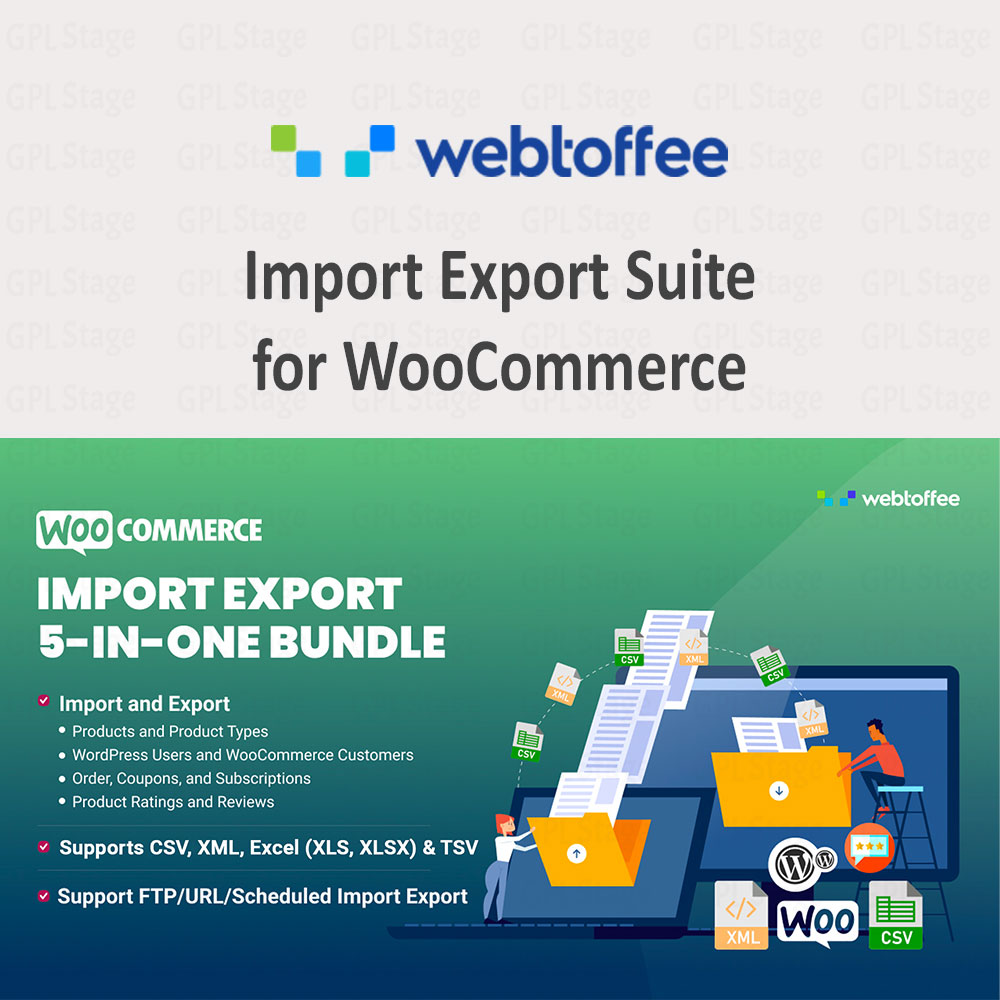



Managing WooCommerce data becomes increasingly challenging as an online store grows. Importing supplier catalogs, migrating products between stores, updating inventory in bulk, exporting customer data, and generating order reports can quickly become time-consuming when handled manually.
Import Export Suite for WooCommerce is an all-in-one WooCommerce import/export and migration plugin designed to simplify these workflows. Instead of relying on multiple tools for products, customers, orders, coupons, and other store data, the plugin provides a centralized solution for importing, exporting, updating, and migrating WooCommerce information using industry-standard file formats such as CSV, XML, TSV, XLS, and XLSX.
Whether you’re migrating a WooCommerce store, synchronizing inventory with suppliers, bulk updating thousands of products, or creating scheduled export workflows, Import Export Suite helps streamline data management while reducing manual effort.
This makes it particularly valuable for growing WooCommerce stores, agencies managing multiple websites, wholesalers handling large catalogs, and businesses that regularly move data between ecommerce systems.
Quick Overview
| Feature | Supported |
|---|---|
| Product Import & Export | ✔ |
| Order Import & Export | ✔ |
| Customer Import & Export | ✔ |
| Coupon Import & Export | ✔ |
| Subscription Support | ✔ |
| CSV Support | ✔ |
| XML Support | ✔ |
| XLS Support | ✔ |
| XLSX Support | ✔ |
| Scheduled Imports | ✔ |
| Scheduled Exports | ✔ |
| FTP/SFTP Automation | ✔ |
| Product Images | ✔ |
| Custom Fields & Metadata | ✔ |
Why Use Import Export Suite for WooCommerce?
WooCommerce includes basic product import and export functionality, but many stores eventually need more advanced capabilities.
Import Export Suite for WooCommerce is a premium all-in-one WooCommerce import/export and migration solution designed for store owners who need capabilities beyond WooCommerce’s built-in import and export tools.
Examples include:
- Importing customer records
- Exporting order data
- Scheduling recurring imports
- Migrating large product catalogs
- Synchronizing supplier feeds
- Updating inventory automatically
- Handling custom metadata
- Managing subscriptions and reviews
Import Export Suite for WooCommerce brings these capabilities together into a single workflow.
Key Benefits
✔ Manage products, customers, orders, coupons, subscriptions, and reviews from one interface
✔ Import and export using CSV, XML, TSV, XLS, and XLSX files
✔ Migrate WooCommerce data between websites more efficiently
✔ Schedule recurring imports and exports
✔ Update existing store data in bulk
✔ Handle product images, categories, attributes, and custom metadata
✔ Filter exports to include only the data you need
✔ Reduce manual data-entry work across large stores
✔ Support common WooCommerce migration and synchronization workflows
Still comparing WooCommerce import solutions? Read our detailed comparison Import Export Suite vs WP All Import: Which WooCommerce Import Plugin Is Better? to see how the plugins differ in migration workflows, automation features, supported data types, and large-store management capabilities.
What Can You Import and Export?
One of the plugin’s biggest advantages is the variety of WooCommerce data it can manage.
Depending on your workflow, you can work with:
Products
- Simple products
- Variable products
- Grouped products
- External products
- Subscription products
- Custom product types
Customers
- Customer account and profile data
- Contact information
- Account data
Orders
- WooCommerce order information
- Order status data
- Purchase records
Coupons
- Coupon configurations
- Discount rules
- Promotional campaigns
Reviews
- Product reviews
- Customer feedback
Subscriptions
- Subscription records
- Recurring purchase information
This broad coverage makes the plugin suitable for many WooCommerce migration projects involving products and supported store data rather than simple product imports alone.
For store owners working with large catalogs, our guide on How to Import Thousands of WooCommerce Products Using CSV, XML & Excel Files explains how to prepare import files, map WooCommerce fields, import product images, and avoid common import errors when managing large product datasets.
Multiple Import and Export Methods
Different projects require different workflows.
The plugin supports several approaches depending on the complexity of the task.
Quick Import and Export
Useful when speed is the priority.
Ideal for:
- Small updates
- Product transfers
- Basic migration tasks
Advanced Import and Export
Provides additional control over:
- Filters
- Mapping
- Data selection
- Export conditions
Particularly useful for large stores and custom workflows.
Reusable Templates
Frequently repeated jobs can be saved and reused.
Examples:
- Weekly inventory exports
- Supplier imports
- Scheduled reporting tasks
- Customer export workflows
This can significantly reduce repetitive configuration work.
WooCommerce Store Migration Made Easier
Store migrations are one of the most common reasons WooCommerce users search for import/export solutions.
Common migration scenarios include:
- Moving to a new hosting provider
- Launching a redesigned website
- Migrating from staging to production
- Consolidating multiple stores
- Cloning product catalogs
- Transferring inventory between WooCommerce websites
Import Export Suite supports migration workflows by allowing store owners to export WooCommerce data and import it into another environment while preserving important product information, categories, attributes, images, and metadata.
For businesses managing large inventories, this can dramatically simplify migration planning.
If you’re new to WooCommerce imports and migrations, see our Beginner’s Guide to WooCommerce Product Imports and Store Migration for an overview of CSV files, exports, backups, migration planning, and best practices for first-time store owners.
For example, a store owner moving a catalog of 5,000 products from a staging environment to a production store can export product data, verify mappings, and re-import it into the destination environment without manually recreating products.
Bulk Update WooCommerce Data
Manual editing becomes impractical when dealing with hundreds or thousands of products.
Instead of editing records individually, store owners can update data through import workflows.
Common use cases include:
Price Adjustments
Increase or decrease product prices across an entire catalog.
Inventory Updates
Update stock levels in bulk.
Product Information Changes
Modify descriptions, categories, attributes, or custom fields.
Supplier Catalog Refreshes
Apply updated supplier data to existing products.
For stores that process large catalogs regularly, bulk updates can save substantial administrative time.
If an import job fails or produces unexpected results, our guide WooCommerce Import Failed? Common Import Errors and How to Fix Them covers common issues such as invalid CSV formatting, duplicate SKUs, image import failures, timeout errors, and attribute mapping problems.
Advanced Export Filters
Exporting an entire database is not always necessary.
The plugin includes filtering options that help generate targeted exports.
Examples include filtering by:
- Product category
- Product type
- Date range
- Stock status
- Order status
- Customer email
- Coupon type
This allows store owners to generate focused reports and migration files without manually cleaning exported data afterward.
Scheduled Imports and Exports
Many businesses need recurring data synchronization.
Instead of manually importing and exporting files every week, scheduled jobs can automate repetitive tasks.
Examples include:
Supplier Feed Updates
Automatically import updated product data.
Inventory Synchronization
Maintain accurate stock information.
Reporting Workflows
Generate exports at scheduled intervals.
Multi-Store Data Sharing
Transfer information between WooCommerce environments more efficiently.
Support for FTP and SFTP workflows further expands automation possibilities.
Product Images, Categories, Attributes and Custom Metadata
WooCommerce data often extends far beyond product names and prices.
Import Export Suite supports handling:
- Product images
- Product galleries
- Categories
- Tags
- Attributes
- Custom fields for supported plugins and integrations
- Third-party metadata for supported plugins and integrations
This is especially useful when migrating complex WooCommerce stores that rely on additional plugins and custom configurations.
Supported File Formats
The plugin supports multiple industry-standard formats:
| File Format | Supported |
|---|---|
| CSV | ✔ |
| XML | ✔ |
| TSV | ✔ |
| XLS | ✔ |
| XLSX | ✔ |
This flexibility allows store owners to work with:
- Spreadsheet software
- Supplier feeds
- ERP systems
- Inventory management platforms
- External ecommerce databases
without requiring file conversions.
Best Use Cases
Import Export Suite for WooCommerce is particularly useful for:
Large WooCommerce Stores
Managing thousands of products efficiently.
WooCommerce Agencies
Handling migrations and imports for multiple clients.
Wholesale Businesses
Working with supplier feeds and large inventories.
Multi-Store Operations
Synchronizing products and data between stores.
Store Redesign Projects
Migrating catalogs to new WooCommerce environments.
Ongoing Inventory Management
Updating pricing and stock information regularly.
Common WooCommerce Workflows This Plugin Can Simplify
Many WooCommerce store owners use Import Export Suite for recurring data-management tasks such as:
– Importing supplier catalogs
– Updating product inventory in bulk
– Exporting customer records
– Generating order reports
– Migrating products between stores
– Synchronizing inventory across multiple websites
– Updating pricing through import files
– Scheduling recurring import and export jobs
As a store grows, automating these workflows can help reduce manual work while improving data accuracy.
Who Is This Plugin Best For?
Import Export Suite for WooCommerce is particularly useful for:
✔ WooCommerce store owners managing large product catalogs
✔ Businesses importing supplier product feeds regularly
✔ Agencies handling WooCommerce migrations for clients
✔ Ecommerce teams exporting order and customer data
✔ Stores synchronizing inventory across multiple websites
✔ Businesses automating recurring import and export workflows
Whether you’re migrating a WooCommerce store, updating inventory in bulk, or exporting customer data for reporting, the plugin provides a centralized solution for managing store data more efficiently.
Why should I use this instead of WooCommerce’s built-in importer?
Import Export Suite vs WooCommerce Default Importer
| Capability | WooCommerce Default Importer | Import Export Suite for WooCommerce |
|---|---|---|
| Product CSV Import | ✔ | ✔ |
| Product Export | ✔ | ✔ |
| XML Import & Export | ✖ | ✔ |
| XLS/XLSX Support | ✖ | ✔ |
| Customer Import & Export | ✖ | ✔ |
| Order Import & Export | ✖ | ✔ |
| Coupon Import & Export | ✖ | ✔ |
| Subscription Data Support | ✖ | ✔ |
| Scheduled Imports | ✖ | ✔ |
| Scheduled Exports | ✖ | ✔ |
| FTP/SFTP Automation | ✖ | ✔ |
| Advanced Export Filters | Limited | ✔ |
| Product Images & Galleries | Basic | ✔ |
| Custom Fields & Metadata | Limited | ✔ |
| WooCommerce Migration Workflows | Limited | ✔ |
As a premium WooCommerce import/export solution, Import Export Suite extends WooCommerce’s native functionality with support for additional data types, automation workflows, advanced filtering, scheduling, and migration-focused features.
While WooCommerce includes basic product import and export functionality, many growing stores require additional capabilities such as customer exports, order migrations, scheduled imports, advanced filtering, XML support, and automated workflows. Import Export Suite for WooCommerce provides these features through a single centralized solution, making it easier to manage large catalogs and recurring data-management tasks.
Frequently Asked Questions
Is the Import Export Suite for WooCommerce plugin suitable for large WooCommerce catalogs?
Yes. The plugin is designed for stores that manage large amounts of WooCommerce data and recurring synchronization tasks.
Does the plugin only import products?
No. It supports multiple WooCommerce data types, including products, customers, orders, coupons, reviews, and subscriptions.
Can I migrate products between WooCommerce stores?
Yes. Import and export workflows can be used as part of WooCommerce migration projects.
Does it support XML files?
Yes. The plugin supports XML alongside CSV, TSV, XLS, and XLSX formats.
Can I schedule recurring imports and exports?
Yes. Scheduled jobs can automate repetitive import and export workflows.
Does it support product images?
Yes. Product images and related media information can be included during supported import/export workflows.
Does the plugin support product variations?
Yes. Import Export Suite for WooCommerce supports WooCommerce variable products and associated variation data as part of supported import and export workflows. This makes it easier to migrate, update, and manage complex product catalogs.
Can I import supplier XML feeds?
Yes. The plugin supports XML file imports, making it suitable for many supplier catalogs, inventory feeds, and external product data sources that use structured XML formats.
Can I export WooCommerce orders to Excel?
Yes. Order data can be exported using spreadsheet-friendly formats such as XLS and XLSX, making it easier to generate reports, share information with accounting teams, and archive order records.
Can I schedule recurring imports and exports?
Yes. Scheduled jobs can automate recurring import and export workflows such as inventory synchronization, supplier feed updates, product catalog updates, and routine reporting tasks.
Can I migrate data between WooCommerce stores?
Yes. The plugin can be used as part of a WooCommerce migration workflow by exporting supported store data from one website and importing it into another WooCommerce installation.
Will product images be imported automatically?
Product images can be imported as part of supported workflows when image references are correctly configured. It is always recommended to verify image URLs, permissions, and media settings before performing large-scale imports.
Can I update existing WooCommerce products without creating duplicates?
Yes. Import Export Suite for WooCommerce includes update capabilities that allow existing products to be modified based on matching identifiers such as SKUs, helping reduce duplicate entries during product updates.
Does the plugin support custom fields and metadata?
Yes. The plugin supports importing and exporting custom fields and metadata, which can be useful when working with WooCommerce extensions, custom product information, and supported third-party integrations.
Final Thoughts
Import Export Suite for WooCommerce is more than a basic import tool. It provides a centralized solution for managing WooCommerce data across products, customers, orders, coupons, subscriptions, reviews, and other store information.
For store owners performing migrations, importing supplier catalogs, synchronizing inventory, exporting reports, or managing large product catalogs, having a dedicated WooCommerce import/export solution can significantly simplify day-to-day operations.
Its support for multiple file formats, automation capabilities, advanced filtering options, and broad WooCommerce compatibility make it a practical choice for businesses looking to improve store data management workflows.


Reviews
There are no reviews yet.