Creating a well-organized website navigation system is essential for improving user experience and helping visitors find content faster. As Divi websites grow larger, traditional dropdown menus often become difficult to manage, especially for WooCommerce stores, agency websites, blogs, and business platforms with multiple categories.
This is where mega menus become extremely useful.
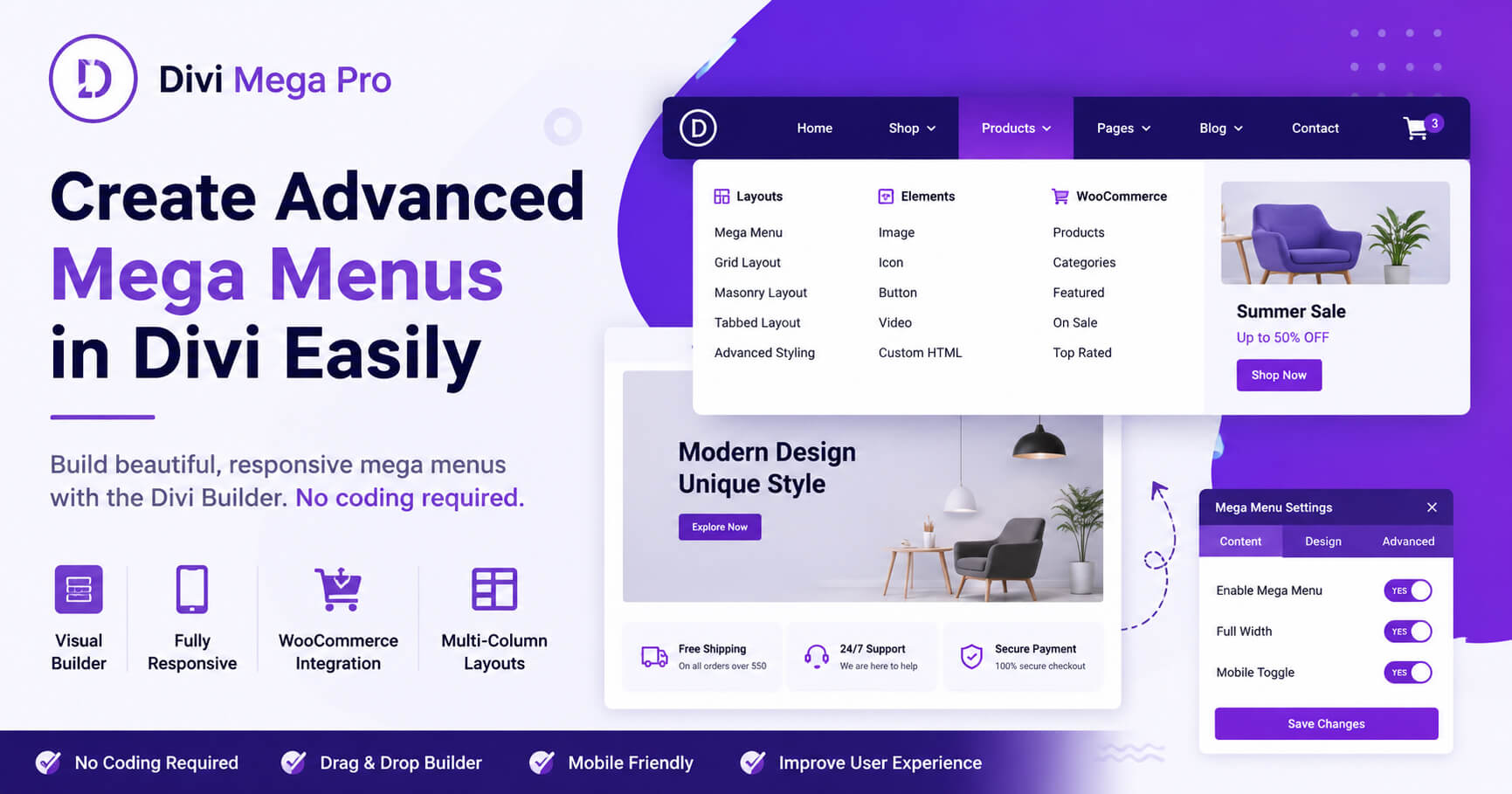
A mega menu allows you to display large dropdown navigation layouts with multiple columns, images, icons, buttons, product categories, and featured content in a clean and organized way. Instead of forcing visitors to browse through complicated dropdowns, mega menus make website navigation easier and more professional.
If you are wondering how to create a mega menu in Divi, there are several methods available. While Divi includes basic navigation functionality, advanced mega menu layouts usually require additional customization tools to unlock better design flexibility and responsive control.
One of the easiest ways to build advanced mega menus visually is by using Divi Mega Pro. The plugin allows Divi users to create responsive mega menus directly inside the Divi Builder without writing custom CSS or complex code.
Want an easier way to create advanced navigation layouts in Divi? Divi Mega Pro helps you build responsive multi-column mega menus visually with full WooCommerce compatibility and advanced customization features.
Why Mega Menus Are Important for Divi Websites
Large websites often contain:
- Multiple service pages
- WooCommerce product categories
- Blog archives
- Portfolio sections
- Educational resources
- Large navigation structures
Traditional menus can quickly become cluttered and difficult to navigate.
Mega menus solve this problem by organizing content into visually structured dropdown layouts that improve usability and website organization.
Benefits of mega menus include:
✔ Better user experience
✔ Easier content discovery
✔ Improved WooCommerce navigation
✔ Cleaner website structure
✔ Better mobile navigation
✔ Increased engagement
✔ More professional website appearance
What Is a Mega Menu in Divi?
A mega menu is an expanded dropdown menu that allows website owners to display multiple navigation columns and visual elements inside a single menu panel.
Unlike standard dropdown menus, mega menus can include:
- Images
- Buttons
- Icons
- Videos
- Product categories
- Featured products
- Promotional banners
- Custom layouts
For Divi websites, mega menus are especially useful for organizing large amounts of content while maintaining clean navigation.
How to Create a Mega Menu in Divi
There are multiple ways to create mega menus in Divi, but using a visual builder plugin simplifies the process significantly.
Step 1: Install a Divi Mega Menu Plugin
To unlock advanced mega menu functionality, install a dedicated Divi mega menu plugin such as Divi Mega Pro.
The plugin extends Divi navigation capabilities and allows you to build menus visually.
Learn more here:
https://gplstage.com/divi-mega-pro-divi-mega-menu-plugin/
Step 2: Create or Edit Your WordPress Menu
Navigate to:
Appearance → Menus
Create a new menu or edit your existing navigation structure.
Organize your categories and pages logically before building the mega menu layout.
Step 3: Enable Mega Menu Functionality
Choose the parent menu item where you want the mega menu to appear.
Enable mega menu settings inside the plugin options.
Step 4: Launch the Divi Builder
Open the Divi Builder interface to begin designing the mega menu layout visually.
This allows you to add:
- Rows and columns
- Images
- Buttons
- Product grids
- Icons
- Text modules
- WooCommerce products
- Promotional content
Step 5: Customize the Mega Menu Design
Adjust:
- Typography
- Colors
- Spacing
- Hover effects
- Mobile responsiveness
- Animations
- Column layouts
Try to maintain a clean and organized structure for better usability.
Step 6: Test Mobile Responsiveness
Always test your mega menu on:
- Desktop devices
- Tablets
- Smartphones
Responsive navigation is essential for both SEO and user experience.
Best Practices for Divi Mega Menus
Keep Menus Organized
Avoid overcrowding menus with too many links.
Group related categories together clearly.
Prioritize Important Pages
Place your most valuable categories near the beginning of the menu.
Avoid Excessive Animations
Too many visual effects can slow navigation and create distractions.
Optimize Images
Compress images used inside mega menus to maintain fast loading speeds.
Maintain Consistent Branding
Your mega menu should match the overall website design and branding style.
Common Mega Menu Mistakes to Avoid
Cluttered Layouts
Overloaded menus can confuse visitors and reduce usability.
Poor Mobile Optimization
Always ensure menus work properly on smaller screens.
Slow Performance
Large images and heavy animations may slow down website performance.
Inconsistent Navigation Structure
Users should navigate your website intuitively without confusion.
Why Many Divi Users Prefer Visual Mega Menu Builders
Traditional mega menu setups often require:
- Custom CSS
- Manual coding
- Theme modifications
- Complex layout adjustments
Visual builders simplify the entire process and allow beginners to create professional navigation systems without technical knowledge.
Divi Mega Pro integrates directly with the Divi Builder, making advanced navigation customization much easier.
Frequently Asked Questions
Does Divi support mega menus by default?
Divi includes basic menu functionality, but advanced mega menu layouts usually require additional customization tools.
What is the easiest way to create a mega menu in Divi?
Using a visual plugin like Divi Mega Pro is one of the easiest methods for building advanced responsive mega menus.
Can I create WooCommerce mega menus in Divi?
Yes, WooCommerce categories and products can be integrated into mega menu layouts.
Do mega menus improve user experience?
Yes, mega menus help organize navigation and improve content discovery for larger websites.
Are mega menus mobile-friendly?
Modern mega menu plugins support responsive layouts for smartphones and tablets.
Final Thoughts
Learning how to create a mega menu in Divi can significantly improve your website navigation, organization, and user experience. Mega menus are especially useful for WooCommerce stores, large business websites, blogs, and content-heavy platforms that require advanced navigation structures.
Using a visual builder solution like Divi Mega Pro makes the entire process easier by allowing you to design responsive mega menus directly inside the Divi Builder environment.
If you want to create advanced mega menus without complicated coding, Divi Mega Pro is an excellent solution for Divi websites.
Check out the full plugin page here:
https://gplstage.com/divi-mega-pro-divi-mega-menu-plugin/