Importing products into WooCommerce is one of the fastest ways to build, expand, or automate an online store. Whether you’re launching a dropshipping business, creating an affiliate website, managing supplier catalogs, or migrating from another platform, importing products can save hundreds of hours compared to manually creating every product.
For many years, CSV files have been the standard method for WooCommerce imports. Store owners export spreadsheets, organize product data, map fields, upload files, and then import products into WooCommerce. While CSV imports remain effective, they are no longer the only option.
Today, many WooCommerce businesses want faster and more automated workflows. Product information often already exists on supplier websites, manufacturer catalogs, affiliate marketplaces, XML feeds, and external eCommerce platforms. In these situations, manually creating and maintaining CSV files can become an unnecessary extra step.
Fortunately, WooCommerce supports several alternatives that allow products to be imported without CSV files. These include product extraction tools, XML feeds, APIs, affiliate import systems, and automation-focused WooCommerce plugins.
In this guide, you’ll learn how to import products into WooCommerce without CSV files, compare the available methods, discover real-world use cases, and identify the best solution for your specific business model.
How Do You Import Products into WooCommerce Without CSV Files?
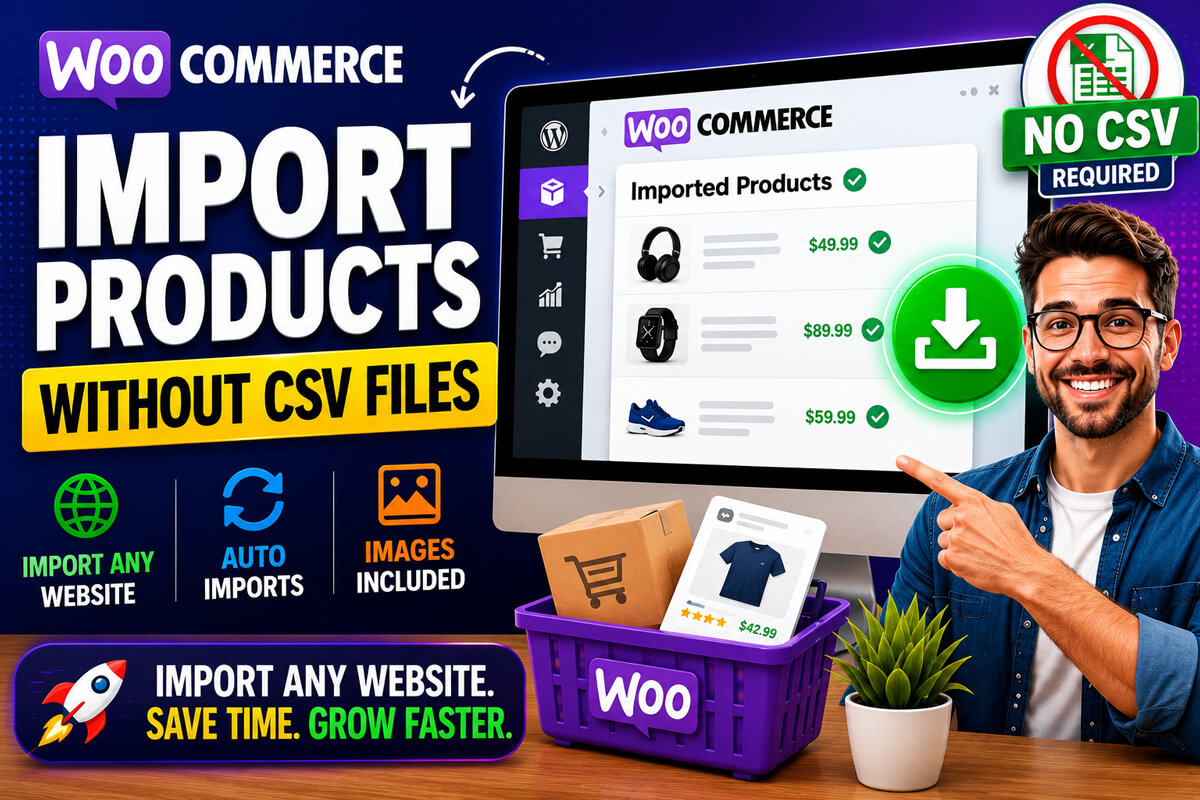
You can import products into WooCommerce without CSV files using product extraction tools, XML feeds, APIs, supplier integrations, and affiliate import systems. These methods automatically collect and import product information, reducing the need for manual spreadsheet creation and ongoing CSV maintenance.
Quick Navigation
- Why Store Owners Look for Alternatives to CSV Imports
- Common Ways to Import Products Without CSV Files
- Step-by-Step WooCommerce Import Methods
- Comparison of Import Methods
- Real-World Examples
- Which Method Is Best for Your Store?
- External Importer Pro Overview
- Common Import Problems and Solutions
- Best Practices for Successful Imports
- Frequently Asked Questions
Why Store Owners Look for Alternatives to CSV Imports
CSV imports work well for many stores, but they also introduce ongoing maintenance requirements.
Common challenges include:
- Preparing spreadsheets manually
- Formatting product data
- Mapping columns correctly
- Managing product images
- Updating catalogs repeatedly
- Maintaining supplier feeds
- Handling large product databases
For stores managing hundreds or thousands of products, these repetitive tasks can consume significant time.
In many cases, importing products directly from the source can be more efficient than continuously creating and updating CSV files.
Common Ways to Import Products Without CSV Files
Import Products Directly from External Websites
Some WooCommerce product import tools can extract available product information directly from supported websites.
Imported information may include:
- Product titles
- Descriptions
- Images
- Pricing
- Specifications
- Product attributes
- Categories
This approach is particularly popular among:
- Affiliate marketers
- Product review websites
- Niche websites
- Dropshipping businesses
- WooCommerce store owners
Advantages
✔ No spreadsheet preparation
✔ Faster product sourcing
✔ Reduced manual data entry
✔ Product image importing
Considerations
✔ Website compatibility varies
✔ Available product information depends on the source
Import Products Using XML Feeds
Many suppliers distribute product catalogs through XML feeds instead of spreadsheets.
XML feeds can contain:
- Product information
- Pricing
- Categories
- Images
- Inventory data
- Product attributes
Advantages
✔ Automated supplier integration
✔ Scheduled updates
✔ Large catalog support
Considerations
✔ XML structures vary
✔ Field mapping may require configuration
Import Products Using APIs
Many manufacturers, suppliers, and eCommerce platforms provide APIs for automated product synchronization.
API integrations can support:
- Product creation
- Price updates
- Inventory synchronization
- Product attributes
- Image imports
Advantages
✔ Real-time synchronization
✔ Automated updates
✔ Enterprise scalability
Considerations
✔ Technical setup required
✔ API access may be restricted
Import Products from Affiliate Networks
Affiliate marketers often manage large product catalogs and frequently updated offers.
Affiliate import workflows can help import:
- Product information
- Images
- Pricing
- Affiliate links
- Product descriptions
Advantages
✔ Faster affiliate content creation
✔ Easier product management
✔ Scalable content workflows
Use Product Extraction Tools
Product extraction tools provide one of the most flexible alternatives to CSV imports.
These solutions can:
- Extract available product information
- Create WooCommerce products
- Build affiliate catalogs
- Populate review websites
- Assist content creation workflows
One example is External Importer Pro, which can extract available product information from supported websites and import that information into WooCommerce workflows.
This approach can dramatically reduce manual product entry when compatible product sources are available.
Step-by-Step: Import Products into WooCommerce Without CSV Files
Method 1: Import Products from External Websites
This workflow is commonly used by affiliate marketers, product review websites, and WooCommerce store owners.
Step 1
Choose a supported product page.
Step 2
Copy the product URL.
Step 3
Use a compatible import tool.
Step 4
Extract available product information.
Step 5
Review imported content.
Step 6
Create the WooCommerce product.
Step 7
Verify:
- Product images
- Pricing
- Categories
- Product attributes
- Product descriptions
Workflow Example
Product URL
      ↓
Import Tool
      ↓
Extract Product Data
      ↓
Review Content
      ↓
WooCommerce Product
      ↓
Publish
Method 2: Import Products Using XML Feeds
This method is frequently used by suppliers and wholesale businesses.
Step 1
Obtain the supplier XML feed.
Step 2
Configure an XML-compatible WooCommerce import tool.
Step 3
Map product fields.
Step 4
Run a test import.
Step 5
Review imported products.
Step 6
Configure scheduled updates if needed.
Workflow Example
Supplier XML Feed
        ↓
Import Plugin
        ↓
Field Mapping
        ↓
Test Import
        ↓
WooCommerce Catalog
        ↓
Scheduled Updates
Method 3: Import Products Using APIs
API integrations are common in larger WooCommerce environments.
Step 1
Obtain API credentials.
Step 2
Connect WooCommerce to the external system.
Step 3
Configure field mapping.
Step 4
Test synchronization.
Step 5
Enable automatic updates.
Comparison of WooCommerce Import Methods
| Method | Ease of Use | Automation | Technical Skill | Best For |
|---|---|---|---|---|
| Product Extraction Tools | Easy | Medium | Low | Affiliate Sites |
| XML Imports | Medium | High | Medium | Supplier Catalogs |
| APIs | Advanced | Very High | High | Large Stores |
| Affiliate Networks | Easy | Medium | Low | Affiliate Websites |
| CSV Imports | Medium | Low | Low | Manual Imports |
This table can help identify the most appropriate workflow based on your store’s requirements.
Real-World Examples
Affiliate Product Website
A niche affiliate website that publishes product reviews may use product extraction tools to import available product information directly from supported eCommerce websites instead of manually maintaining spreadsheets.
This reduces content preparation time and simplifies product management.
Dropshipping Store
A dropshipping business receiving supplier XML feeds can automate product imports and updates using XML-based workflows.
This helps keep product information synchronized without manually updating product catalogs.
Large WooCommerce Catalog
A store managing thousands of products often benefits from API-based imports because they support automated inventory updates, pricing synchronization, and large-scale product management.
Product Review Website
A review-focused website may use product extraction tools and AI-assisted content workflows to create comparison articles, buying guides, and product review pages more efficiently.
Which Method Is Best for WooCommerce Stores?
The ideal solution depends on your business model.
| Business Type | Recommended Method |
|---|---|
| Affiliate Website | Product Extraction Tools |
| Product Review Website | Product Extraction Tools |
| Niche Website | Product Extraction Tools |
| Supplier Catalog | XML Imports |
| Large WooCommerce Store | APIs + Automation |
| Enterprise Store | API Integrations |
| Dropshipping Store | XML Feeds + Import Plugins |
There is no universal solution. The best workflow depends on your product source, catalog size, update frequency, and technical requirements.
External Importer Pro: A CSV-Free Product Import Solution
For WooCommerce users who want to avoid spreadsheet preparation entirely, External Importer Pro offers a flexible alternative.
Instead of manually creating CSV files, users can extract available product information from supported websites and import that information into WooCommerce.
Best For
- Affiliate marketers
- Product review websites
- Niche websites
- Product comparison sites
- WooCommerce store owners
- Content-driven eCommerce projects
Potential Benefits
✔ No spreadsheet preparation
✔ Product extraction from supported websites
✔ WooCommerce integration
✔ Product image importing
✔ AI-assisted content generation
✔ Reduced manual data entry
✔ Faster catalog creation workflows
Important Considerations
Import success depends on:
- Source website structure
- Available product data
- Plugin configuration
- Website compatibility
Extraction quality may vary between websites, so testing imports with a small sample before processing large catalogs is always recommended.
For a complete overview, see our guide to External Importer Pro for WooCommerce.
Common Problems When Importing Products Without CSV Files
Missing Product Images
Some websites restrict image access or use structures that require additional configuration.
Solution
Verify image accessibility and perform small test imports before processing large catalogs.
Missing Product Attributes
Not all websites expose structured product specifications consistently.
Solution
Review imported attributes and manually verify important specifications.
Import Failures
Import failures may occur because of:
- Website compatibility limitations
- Missing product data
- Configuration errors
- Server restrictions
Solution
Always test imports using a small product sample.
Slow Imports
Large catalogs may require significant server resources.
Solution
Use batch imports and ensure your hosting environment is optimized for WooCommerce.
Incorrect Product Information
Imported data may occasionally require manual review.
Solution
Verify:
- Titles
- Prices
- Images
- Categories
- Attributes
- Product descriptions
before publishing products live.
Best Practices for WooCommerce Product Imports
✔ Test imports using a small sample
✔ Verify imported images
✔ Review pricing accuracy
✔ Validate categories and attributes
✔ Check product descriptions
✔ Monitor synchronization settings
✔ Optimize WooCommerce performance
✔ Maintain backups before major imports
✔ Review AI-generated content manually
✔ Test workflows on a staging environment first
Following these practices helps minimize errors and improve long-term catalog management.
Frequently Asked Questions
What is the best WooCommerce product importer without CSV files?
The best solution depends on your workflow. Product extraction tools work well for affiliate and review websites, while APIs and XML feeds are often preferred for supplier-driven stores and large catalogs.
Can I import products from Shopify into WooCommerce?
Yes. Depending on the import solution used and the structure of the source website, product information can often be imported from Shopify-based stores into WooCommerce.
Can I automate WooCommerce product imports?
Yes. APIs, XML feeds, supplier integrations, and specialized WooCommerce import plugins can automate product imports and updates.
Do product images import automatically?
Many import tools support automatic image importing when images are publicly accessible and supported by the import workflow.
What happens if imported product information changes?
Depending on the import method, updates may require manual re-imports, scheduled synchronization, XML feed updates, or API-based automation.
Is XML better than CSV for WooCommerce imports?
Neither is universally better. XML is often preferred for automated supplier feeds, while CSV remains useful for structured manual imports.
Can WooCommerce import products without CSV files?
Yes. WooCommerce supports multiple alternatives including APIs, XML feeds, supplier integrations, affiliate import systems, and product extraction tools.
Experience-Based Recommendation
In my experience working with WooCommerce product catalogs, the most successful import workflows are the ones that reduce ongoing maintenance rather than simply making the first import easier.
For stores receiving frequent product updates, automation-focused workflows such as APIs, XML feeds, and product extraction tools often reduce long-term administrative work compared to repeatedly maintaining CSV files. Always test new import methods using a small product sample before scaling to larger catalogs.
Conclusion
CSV files remain a reliable way to import WooCommerce products, but they are no longer the only option. Modern WooCommerce stores can import products using APIs, XML feeds, supplier integrations, affiliate import systems, and product extraction tools that eliminate much of the spreadsheet preparation process.
For affiliate websites, dropshipping businesses, product review sites, and growing WooCommerce stores, CSV-free import workflows can significantly improve efficiency while reducing repetitive catalog management tasks.
The best solution depends on your business model, product source, and update requirements. By understanding the available import methods and implementing proven best practices, you can build a more efficient WooCommerce workflow and spend less time managing spreadsheets and more time growing your business.