



Introduction
Creating a professional navigation system is one of the most important parts of improving user experience on a WordPress website. Standard menus often become difficult to manage when websites grow larger, especially for WooCommerce stores, agency websites, online magazines, and multi-category businesses.
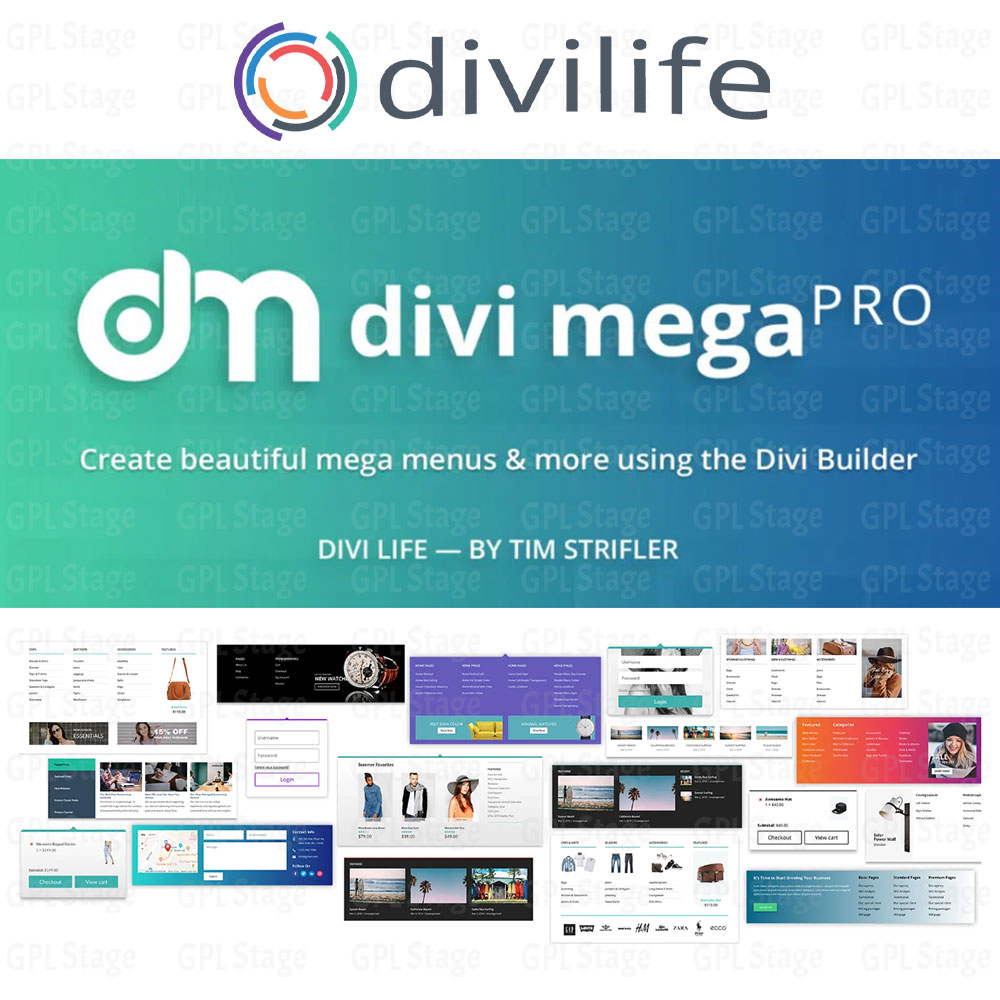
Divi Mega Pro helps Divi users build advanced mega menus visually in the Divi Builder. Instead of relying on limited default navigation layouts, the plugin allows you to create fully customizable dropdown menus with images, icons, categories, products, call-to-action buttons, and responsive mobile-friendly designs.
The plugin is especially useful for WooCommerce websites that need organized product navigation. Large online stores often require multi-column dropdown menus to help visitors browse categories faster and improve overall conversion rates.
Whether you are building an eCommerce store, business website, blog, or portfolio website, Divi Mega Pro makes it easier to create modern navigation experiences without writing custom code.
Why Use Divi Mega Pro?
Many WordPress websites struggle with navigation limitations inside the default Divi menu system. Large websites often need advanced dropdown layouts, category organization, visual content, and responsive mobile navigation that cannot easily be created using the default Divi header options.
Divi Mega Pro solves these problems by giving website owners full control over menu structure and design directly inside the Divi Builder environment.
Main Benefits
✔ Create advanced mega menus visually
✔ Build multi-column dropdown layouts
✔ Add images, icons, buttons, and videos inside menus
✔ Improve WooCommerce category navigation
✔ Fully responsive mobile menu support
✔ No coding knowledge required
✔ Seamless integration with Divi Builder
✔ Better user experience for large websites
Key Features of Divi Mega Pro
Visual Mega Menu Builder
The plugin allows users to design mega menus visually using the familiar Divi Builder interface. This makes customization much easier compared to traditional WordPress menu systems.
Responsive Mobile Menus
Menus automatically adapt to tablets and mobile devices, helping improve usability across all screen sizes.
WooCommerce Integration
WooCommerce store owners can organize product categories, featured products, promotions, and special offers directly inside mega menus.
Multi-Column Layout Support
Create complex dropdown structures with multiple columns for categories, links, featured content, or promotional banners.
Custom Styling Options
Customize colors, typography, spacing, hover effects, animations, and menu layouts to match your website branding.
Lightweight Performance
The plugin is optimized to work efficiently with Divi websites while maintaining responsive performance and fast loading times.
How to Install Divi Mega Pro
Follow these simple steps to install the plugin on your WordPress website:
- Download the plugin ZIP file after purchasing from your “My account page“.
- Login to your WordPress dashboard.
- Navigate to Plugins → Add New.
- Click Upload Plugin.
- Upload the ZIP file and activate the plugin.
- Open Divi Builder and start creating mega menus visually.
How to Create a Mega Menu in Divi
Creating a mega menu with Divi Mega Pro is simple:
- Create or edit a WordPress menu.
- Enable mega menu functionality for a menu item.
- Open the Divi Builder editor.
- Add rows, columns, images, buttons, or WooCommerce products.
- Customize responsive settings.
- Save and publish your menu.
This visual workflow allows complete design flexibility without manual coding.
Best Use Cases for Divi Mega Pro
Divi Mega Pro is ideal for:
- WooCommerce online stores
- Agency websites
- Corporate websites
- Educational platforms
- News and magazine websites
- Portfolio websites
- Multi-category blogs
- Large business websites
Divi Mega Pro vs Default Divi Menu
| Feature | Divi Mega Pro | Default Divi Menu |
|---|---|---|
| Visual Builder | ✔ | Limited |
| Mega Menu Support | ✔ | Limited |
| WooCommerce Integration | ✔ | Basic |
| Multi-Column Layouts | ✔ | ✘ |
| Mobile Optimization | ✔ | Basic |
| Custom Design Flexibility | High | Medium |
Tips for Building Better Mega Menus
A well-designed mega menu can improve both SEO and user experience. Here are some useful recommendations:
- Keep menu categories organized clearly
- Avoid overcrowding dropdown menus
- Use icons and images carefully
- Prioritize important categories
- Optimize menus for mobile visitors
- Add clear call-to-action buttons
- Maintain fast menu loading speed
Frequently Asked Questions
Is Divi Mega Pro compatible with the latest Divi version?
Yes, the plugin is designed to work with recent versions of Divi Builder and WordPress.
Does Divi Mega Pro support WooCommerce?
Yes, WooCommerce categories, products, and promotional content can be integrated into mega menus.
Can beginners use this plugin?
Yes, the visual builder interface makes it beginner-friendly and easy to use without coding experience.
Is the plugin mobile responsive?
Yes, menus automatically adapt to mobile devices and tablets.
Can I customize menu colors and layouts?
Yes, the plugin provides extensive styling and layout customization options.
Final Thoughts
Divi Mega Pro is an excellent solution for Divi users who want to build advanced navigation systems without complex coding. The plugin combines visual design flexibility, WooCommerce compatibility, and responsive functionality to help website owners create modern mega menus that improve both usability and website appearance.
For websites with large navigation structures, product categories, or content-heavy layouts, Divi Mega Pro can significantly improve menu organization and user engagement.


Reviews
There are no reviews yet.